I Vibe-Coded a Website in 10 Minutes with Claude and Buddy CLI
I said out loud: "Claude, build me a rum cocktail recipes website, register a free domain, and deploy it." Ten minutes later it was live, tracked, and cached at the edge. I watched it happen in real time without writing a single line of code or touching a browser dashboard. This is what vibe coding actually looks like when the infrastructure layer doesn't fight you.
rum-mixer.swish.io (free). Stack: plain HTML/CSS. Infrastructure: Buddy CLI. AI: Claude Code. Total commands typed by me: zero. Time from blank directory to live site: under 10 minutes.
What "vibe coding" actually means
The term gets thrown around loosely, but the honest definition is this: you describe what you want in plain language, an AI agent figures out the steps, executes them, and you mostly just watch — intervening only when it gets stuck or makes a call you'd make differently. It's not magic. The AI still has to know how your tools work. That's where most vibe coding setups fall apart.
The reason this worked smoothly here is that Buddy's CLI (bdy) has a clean, predictable interface that Claude actually knows. Domain registration, artifact publishing, CDN routing, analytics setup — each is a single, composable command. Claude didn't have to invent workarounds or chain a dozen API calls. It just ran the commands, read the output, and kept going. That's the difference.
Step by step: what Claude actually did
Found and claimed a free domain
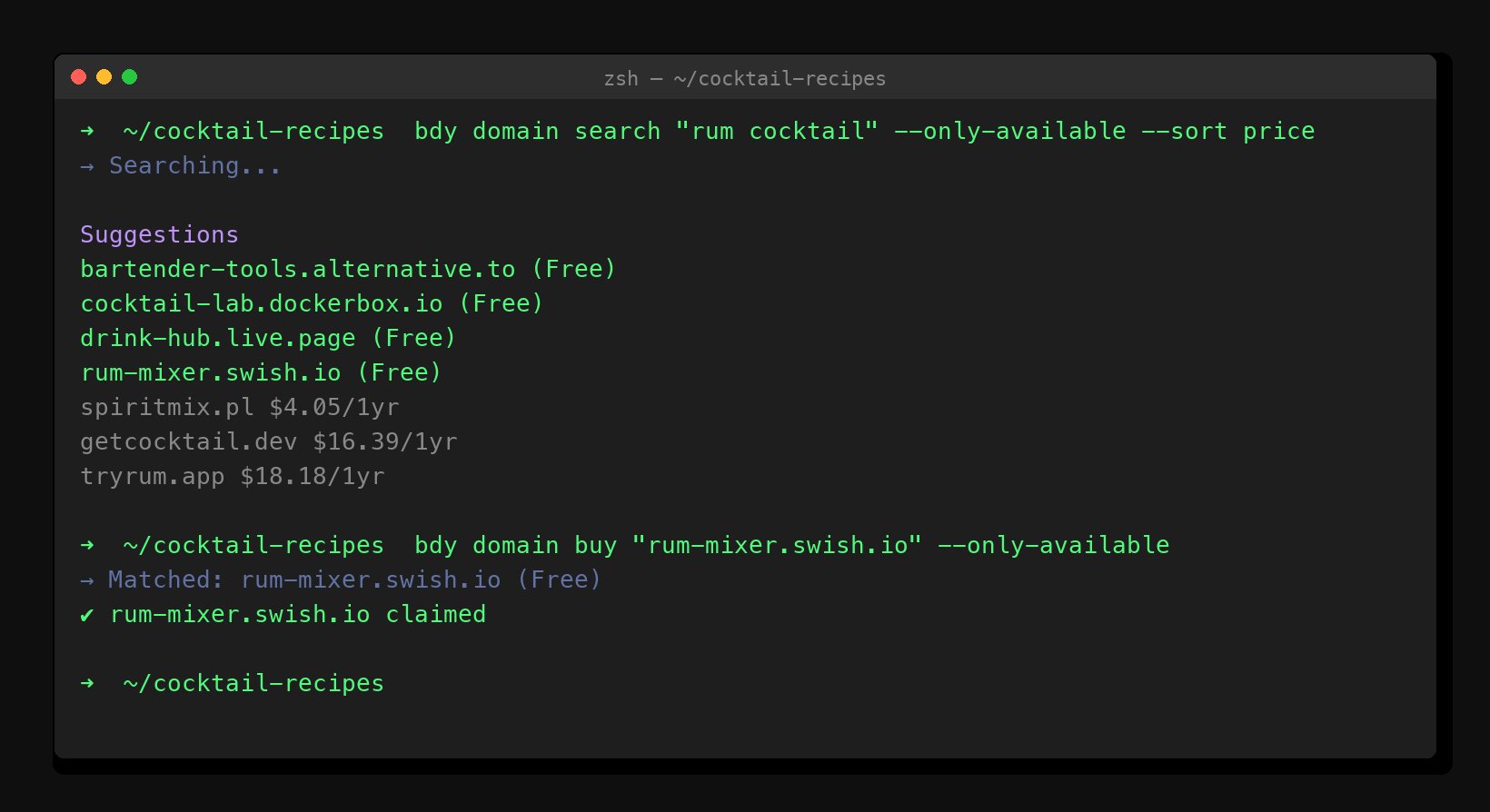
The first thing Claude ran was a domain search scoped to available results, sorted by price. It came back with several free options: cocktail-lab.dockerbox.io, drink-hub.live.page, rum-mixer.swish.io. It picked rum-mixer.swish.io as the cleanest match and immediately ran the buy command. The whole exchange took about four seconds.
Built the website from scratch
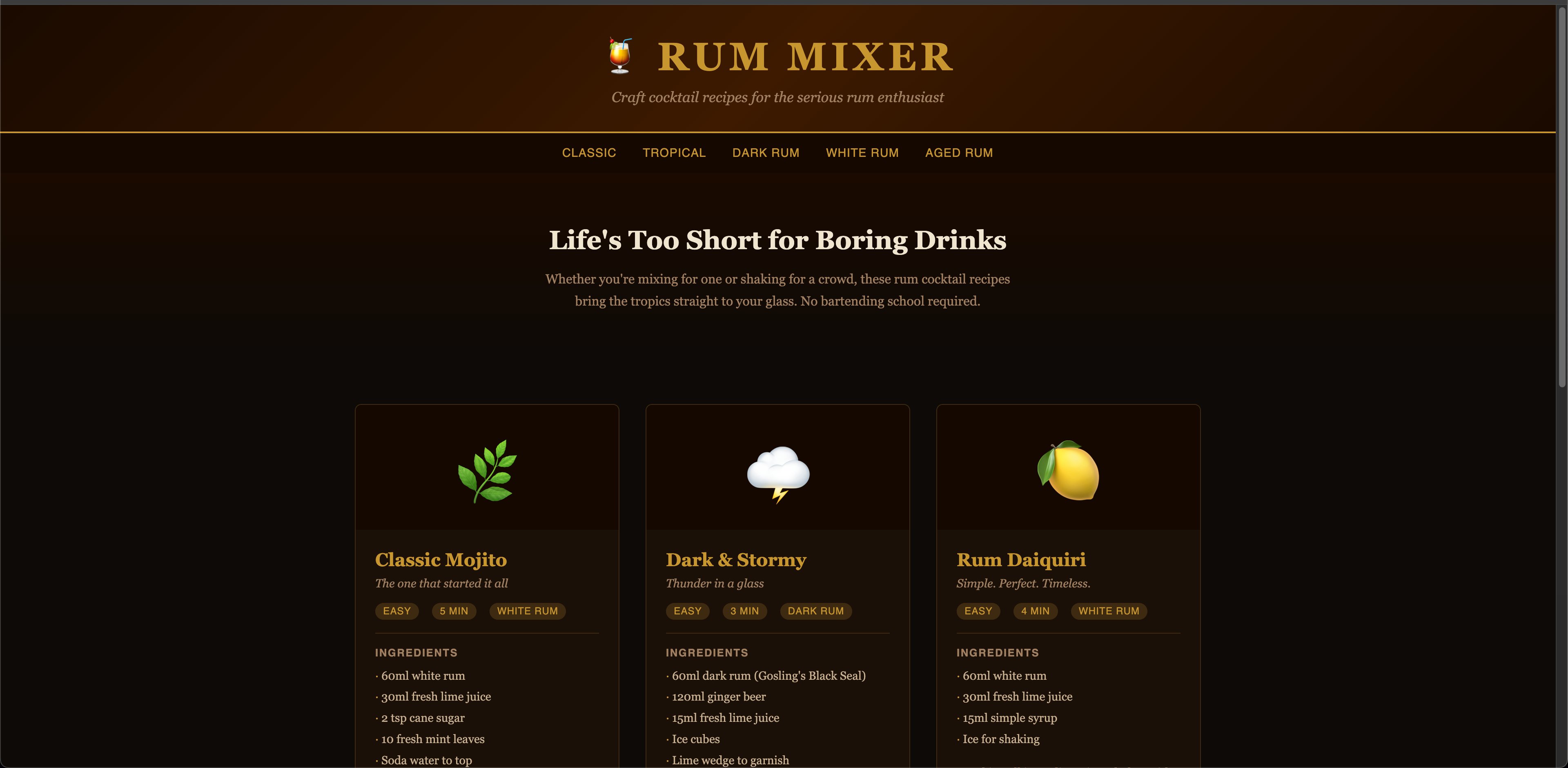
A single prompt: "rum cocktail recipes, dark theme, looks good, no frameworks." Claude generated a complete index.html — header, nav, hero, six recipe cards with ingredients and method, footer. Each card has an emoji, difficulty badge, time estimate, and rum type. The dark amber/gold palette looked like it cost money to design.
No back-and-forth. No "here's a rough draft, let me know what to change." It just wrote the thing.
Published the artifact and wired up the CDN
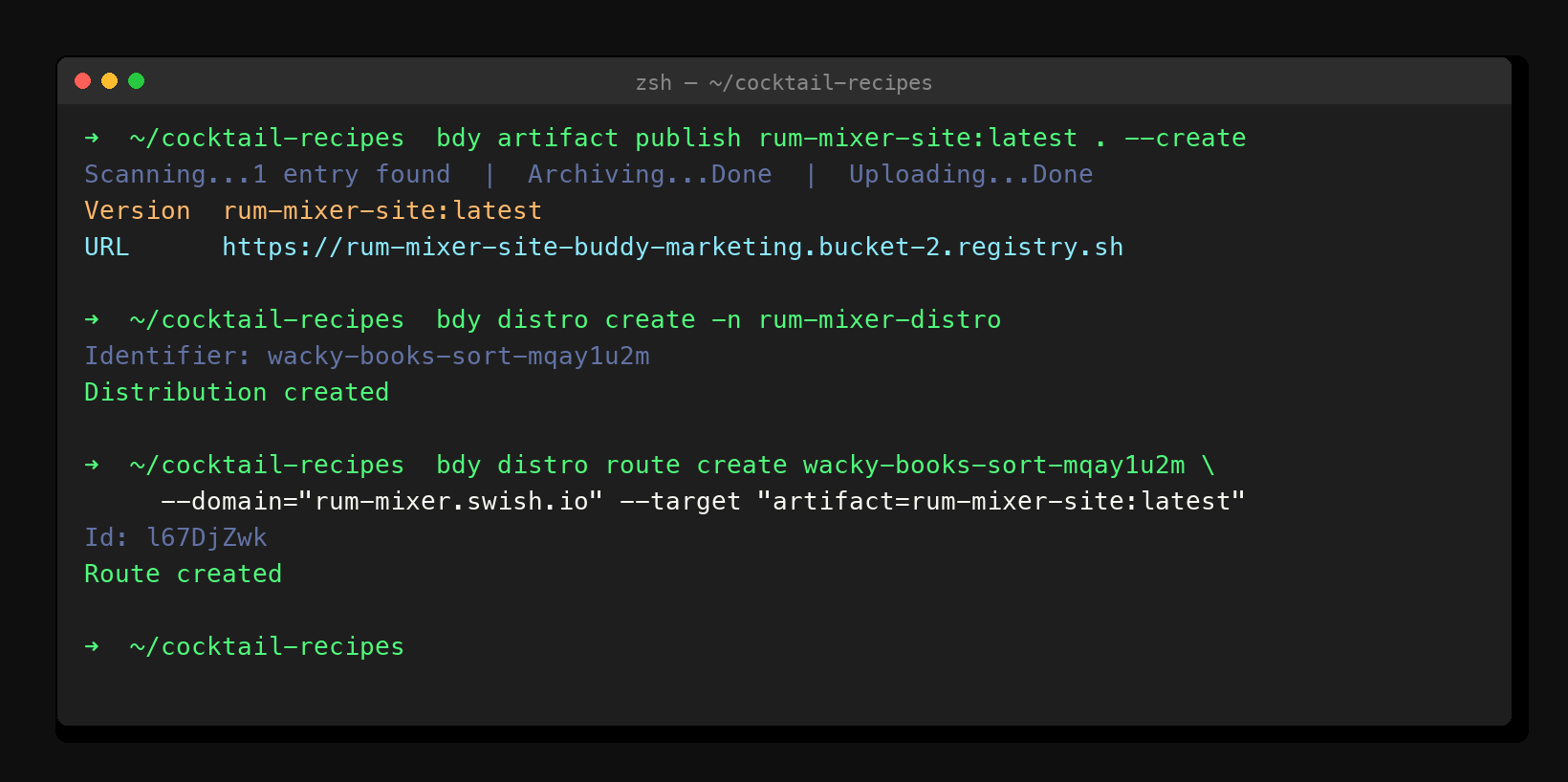
Publishing a static site on Buddy is three commands: bdy artifact publish to upload the files, bdy distro create to spin up a distribution, and bdy distro route create to point the domain at the artifact. Claude ran all three sequentially, reading each command's output before moving to the next. When the route was confirmed, the site was already propagating to the CDN.
Set up analytics in one pipeline run
Buddy ships a built-in analytics pipeline backed by Umami. Claude ran bdy pipeline run start add-analitics-website, waited for the run to finish, pulled the tracking snippet from the action logs, embedded it in the HTML's <head>, and re-published the artifact. From "run the analytics pipeline" to "snippet is live in production" was about 90 seconds.
Documented everything in config.json
Domain, artifact identifier, version, distribution ID, tracking script — all written into a config.json at the project root. So if I come back to this project six months from now, there's a single file that tells me exactly what's deployed and where. Not scattered across dashboards. Not in my head.
The live result
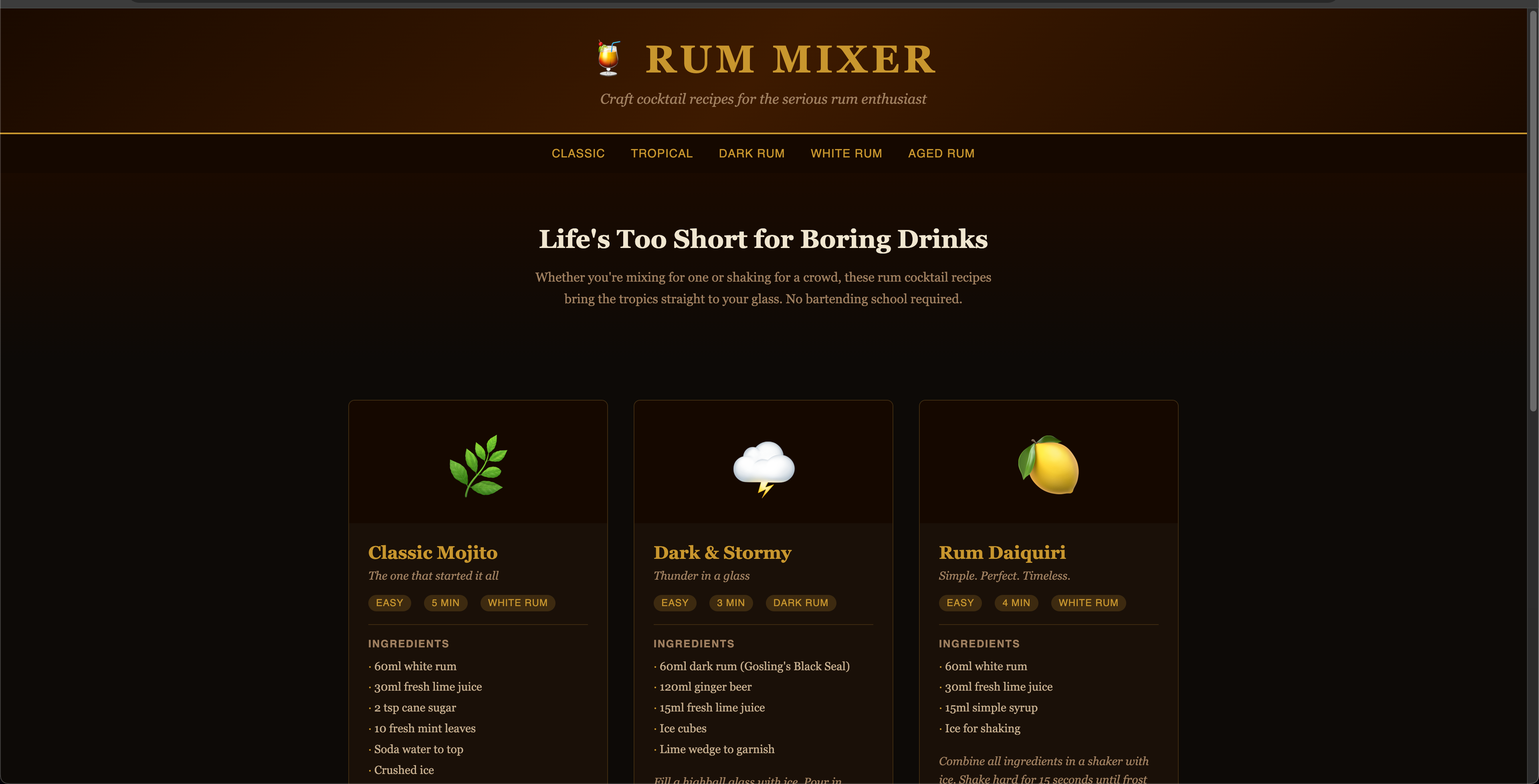
Here's what rum-mixer.swish.io looks like on the real CDN URL, not the local file. It loads fast because it's a static artifact served through Buddy's edge network. No server, no runtime, no moving parts.
And here's the Buddy routing dashboard showing the distribution with rum-mixer.swish.io pointed at the artifact:

Why this worked, and why it usually doesn't
Vibe coding gets a bad reputation because it often produces garbage: hallucinated API calls, half-baked HTML, deployments that technically succeed but serve a broken site. The gap between "Claude wrote some code" and "Claude shipped a working product" is usually filled with manual debugging.
Three things made this different:
- The CLI is composable. Each bdy command does one thing and returns clean output. Claude could read that output, confirm success, and proceed. No guessing, no retrying on obscure errors.
- Free domains are genuinely free. There's no payment flow to get stuck in, no billing portal to open, no confirmation email to wait for. bdy domain buy claims the domain immediately. That kind of friction removal is underestimated.
- The infrastructure is boring (in the good way). Static artifact, CDN route, Umami analytics. These are solved problems with predictable behavior. Claude didn't have to reason about runtime environments or container orchestration. It just shipped files.
The combination of an AI that can operate a terminal and infrastructure that behaves exactly as documented is genuinely new. A year ago, getting Claude to deploy something meant writing custom glue code, managing credentials manually, and babysitting every step. Now the babysitting is mostly optional.
Who should actually try this
Side projects that need to be real URLs. Prototypes that live on localhost:3000 forever are prototypes. Give it a domain and it becomes something you'll actually show people.
Non-developers who need websites. The gap between "I have an idea" and "I have a website" just got a lot narrower. You need Claude Code and a Buddy account. That's it.
Teams doing rapid experimentation. Spin up a landing page for a feature, get real traffic data, kill it if the numbers don't move. The whole cycle is now measured in minutes, not days.
Anyone who's ever rage-quit a deployment dashboard. If you've spent 20 minutes clicking through dropdown menus to point a domain at a bucket, running three terminal commands is a genuine quality-of-life improvement.
The bottom line
I've watched the "no-code" wave, the "low-code" wave, and the first wave of "AI coding tools." Each one promised to abstract away the tedium. Most of them delivered something more like: abstract away the comprehensibility, keep most of the tedium. Vibe coding with Claude and Buddy is the first workflow I've used where the abstraction actually holds up to production load. There's a real site at a real domain with real analytics. Claude built it. Buddy shipped it. I described what I wanted.
The rum cocktail site is a toy example, but the workflow isn't. Replace "cocktail recipes" with "landing page for my SaaS feature" and the process is identical. That's the interesting part.
— Whisky Bob