GitHub Actions Is Slowly Killing Your Team. Here's What to Use Instead.
Between May 2025 and April 2026, GitHub Actions suffered 57 documented outages. In 2024 alone, GitHub logged 119 service incidents. In December 2025, GitHub tried to charge users for running CI on self-hosted runners they own and maintain themselves. The backlash was immediate and they reversed course within a week, but the attempt alone tells you something about where the product is headed.
I've been in DevOps for ten years and have used GitHub Actions since it launched. A lot of the problems teams blame on their own code — slow builds, fragile pipelines, engineers scared to touch the CI — trace back to specific, fixable shortcomings in GitHub Actions itself.
This post is about Buddy.works. They're not paying me. After looking at the alternatives seriously, it's the tool I think most teams should be running instead.
The GitHub Actions problem, documented
Before talking about alternatives, it's worth being specific about what's actually wrong, because "GitHub Actions is bad" isn't an argument. The failure modes are.
1. The YAML is a trap
GitHub Actions workflows are YAML. That's fine for simple cases, but once a pipeline has conditionals, matrix builds, reusable workflows, and environment-specific secrets, you're effectively writing a programming language that wasn't designed to be one.
"YAML becomes a terrible programming language when you try to do complex logic in it. The configuration grows into an unmaintainable big ball of mud." — Hacker News commenter on the "The Pain That Is GitHub Actions" thread
The expression syntax (${{ }}) is its own mini-language with unexpected behaviour around string interpolation and conditional variables. I've seen teams with dedicated pipeline engineers whose entire job is maintaining CI YAML. That's not a feature, it's a failure mode.
2. Debugging is push-and-pray
There's no official way to run GitHub Actions locally. The third-party tool act tries but doesn't faithfully reproduce the runner environment. In practice, debugging a pipeline means committing, pushing, waiting for the runner to spin up, reading logs, fixing one line, and repeating. One engineer documented this as a twenty-minute feedback loop for a single-line change. I've lived it. On a team of ten engineers hitting pipeline issues twice a week, you're looking at dozens of engineer-hours lost per month.
3. The log viewer
Here's a direct quote from a working engineer who documented it:
"The GitHub Actions log viewer is the only one that has crashed my browser. Not once. Repeatedly. Reliably. Large build logs cause browsers to freeze and become unresponsive, forcing developers to download raw artifacts instead." — Ian Duncan, GitHub Actions Is Slowly Killing Your Engineering Team (February 2026)
Getting to a specific log means clicking through workflow runs, then jobs, then steps, then log output. Each transition is slow and the back button behaves unpredictably. For large build logs, the viewer makes the browser unresponsive, so developers end up downloading raw log artifacts just to read them.
4. Marketplace supply chain risk
In March 2025, the widely-used action tj-actions/changed-files was compromised. A maintainer introduced obfuscated shell commands capable of remote code execution, which went undetected long enough to expose secrets across many affected repositories.
This is a known risk of the Marketplace model: every third-party action you pull in runs with access to your repository and your secrets. SHA pinning is the standard mitigation, but most teams do not use it consistently.
5. Runner performance
GitHub's hosted runners are under-provisioned for production workloads. Multiple well-funded startups exist solely to provide faster runners for GitHub Actions: Blacksmith, Actuated, Runs-on, BuildJet, Depot, WarpBuild. When that many companies are selling a fix for a core feature, the defaults aren't cutting it.
6. Pricing changes in December 2025
In December 2025, GitHub announced a $0.002 per minute charge for self-hosted runners — infrastructure that users own and maintain themselves. One developer estimated their bill would reach over $140 per month for jobs running on their own hardware. GitHub received significant backlash and reversed the self-hosted runner charge within a week, though the hosted runner price adjustments went ahead.
The reversal is good. The fact that it was attempted with less than three months' notice is worth keeping in mind when making long-term infrastructure bets.
What Buddy does differently
Buddy is a CI/CD platform that has been quietly doing most of this right for years. Here's what it actually looks like.
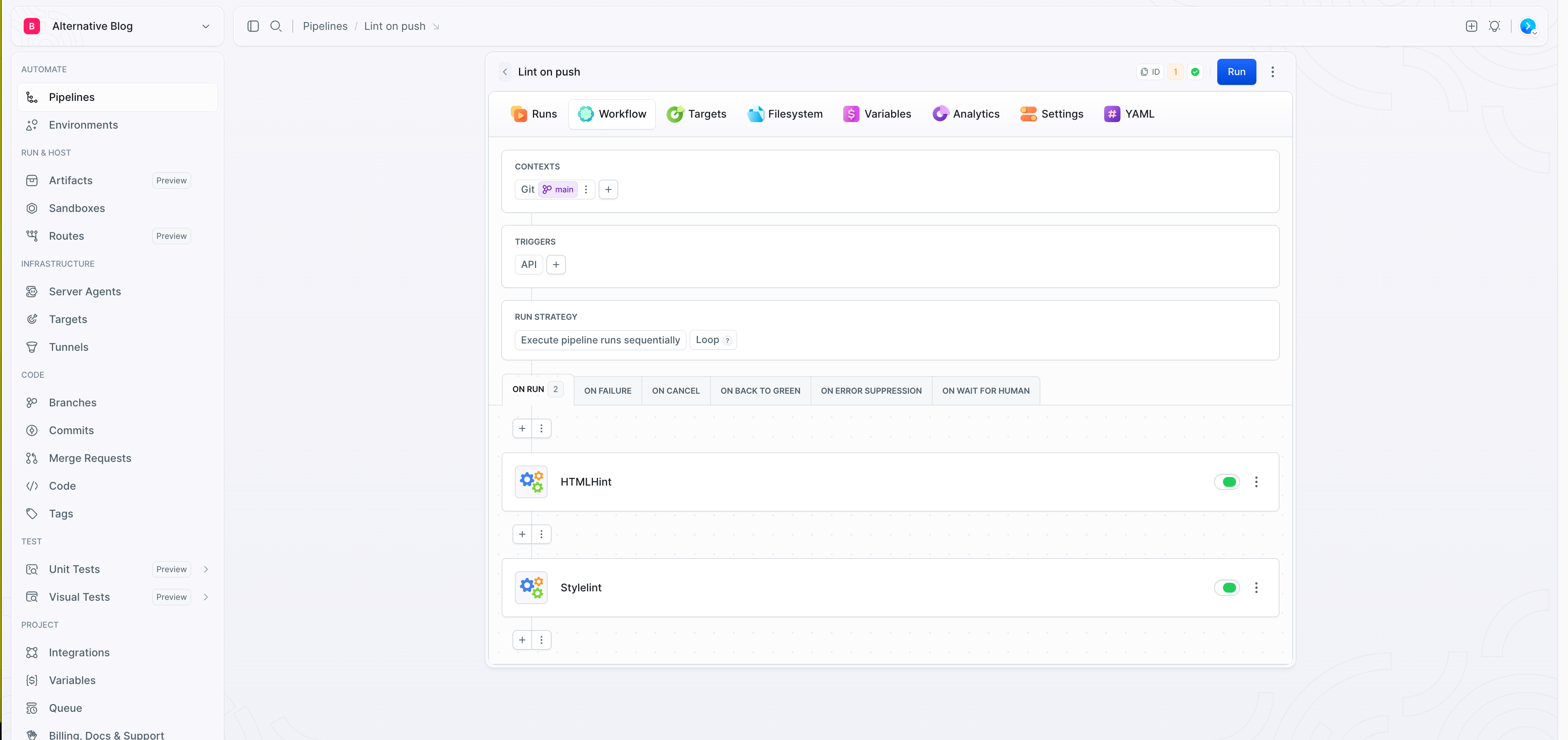
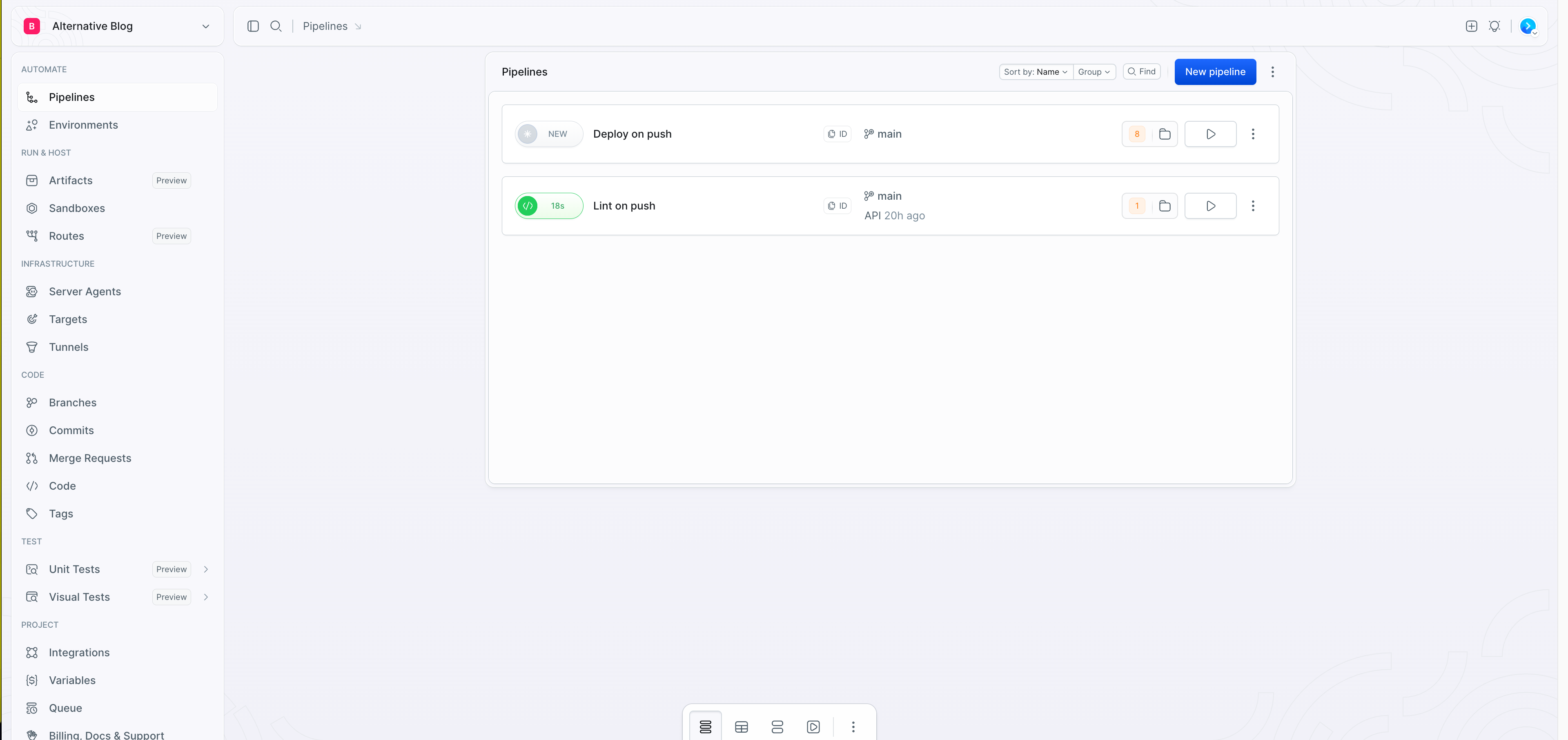
This is a real pipeline: HTMLHint and StyleLint running in sequence, triggered on push to main. It took about five minutes to configure from scratch using the GUI, without looking up a single piece of syntax.
The visual editor
Most tools that call themselves "visual" turn out to be thin wrappers that break the moment you need anything non-trivial. Buddy's editor covers the full pipeline, not just the happy path. You can stay in the UI for all of it:
- Configure triggers: push, schedule, manual, webhook, API call, Slack slash command, email
- Set run strategy: sequential or parallel steps
- Define contexts: which branch, which environment
- Add steps from a library of 100+ pre-built actions
- Configure per-step caching, environment variables, failure handling
- Set up notifications: Slack, email, Teams, Discord
Buddy also has a full YAML mode (buddy.yaml) for teams that prefer code-as-config. You can switch between GUI and YAML at any time without losing pipeline configuration.
Debugging
After a pipeline runs, Buddy lets you browse the filesystem snapshot to see exactly what files were built, what changed, and what ended up in the deployment artifact. No more committing a debug log line, pushing, and waiting three minutes to see the output.
Caching that works by default
Buddy ships with three caching layers:
- Filesystem cache — preserves build artifacts between runs
- Docker layer cache — skips rebuilding unchanged layers in container builds
- Action cache — caches package dependencies (npm, pip, composer, etc.)
In GitHub Actions, setting up effective caching requires understanding the actions/cache action, crafting cache keys with the right hash expressions, and validating that your restore logic actually works. Teams routinely skip this because it's annoying to configure, then wonder why their builds are slow. In Buddy, it's a checkbox.
Pre-built actions that cover real-world deployments
GitHub Actions relies on the Marketplace, which is community-built and largely unaudited. Buddy ships with a library of first-party actions that cover the full deployment lifecycle:
- SSH deployment with zero-downtime swap
- Docker and Kubernetes actions
- AWS, Azure, Google Cloud
- Lighthouse performance audits
- Visual regression testing
- SSL and broken-link checks
- Image compression
- PHP CodeSniffer, ESLint, StyleLint, HTMLHint
- Slack, Teams, Discord, email notifications
The zero-downtime SSH deployment is worth calling out. Setting up the equivalent in GitHub Actions requires Docker, custom YAML, and a deployment tool like PHP Deployer. In Buddy, you fill in your server credentials and the target directory. For teams deploying to VPS or bare metal, that difference is significant.
Parallel steps
Running jobs in parallel in GitHub Actions requires the matrix strategy, which creates N separate jobs rather than N steps inside one job. This affects artifact sharing, environment context, and how logs are organised.
Buddy supports parallel steps natively within a single pipeline. You can split a stage across parallel workers and rejoin them without the overhead of a matrix configuration.
What Buddy users say
Buddy has a 4.5/5 rating on G2. More useful than the score are the specific things reviewers mention:
"Instead of being forced to learn buddy.yml syntax, I could instead click through the relevant steps. The filesystem browsing after execution helped me understand exactly what was deployed." — Developer review, umaar.com
"Onboarding new team members takes minutes rather than days. Visual debugging makes troubleshooting straightforward." — G2 reviewer
The recurring theme across reviews is onboarding speed. Getting a new developer to understand a GitHub Actions workflow — the YAML structure, expression syntax, secrets model, and whatever third-party actions you've pulled in — takes hours. Getting them up to speed on a Buddy pipeline takes a standup.
Caveats
This blog isn't sponsored, so here's where Buddy actually falls short.
- GitHub integration depth. If you're deep in the GitHub ecosystem — code review automations, GitHub Apps, Dependabot, CODEOWNERS — Buddy is a CI/CD tool bolted alongside that, not embedded in it. GitHub Actions has tighter integration with GitHub itself, for obvious reasons.
- Free tier is limited. The free tier caps you at 1 seat, 1 runner, and 300 pipeline GB-minutes. That's enough to evaluate, not enough for a real team. Paid plans start at $29/month — reasonable, but not free.
- Ecosystem maturity. The Marketplace, for all its security problems, is enormous. GitHub Actions has a community action for almost anything. Buddy's library is comprehensive but finite, and when you hit something it doesn't cover, you're writing a custom shell action.
- Self-hosting story. GitHub Actions self-hosted runners are a well-understood pattern. Buddy's on-premise offering exists but is less commonly discussed in the community.
Who should consider switching
Buddy is worth a serious look if your team fits any of these:
Small to mid-size teams (2–50 engineers) where everyone touches the pipelines and nobody has time to become a YAML specialist. The faster onboarding and visual debugging pay back the migration cost quickly.
Teams doing traditional deployments to VPS, bare metal, SSH, or FTP. Buddy's SSH deployment and zero-downtime actions are built specifically for this workflow, not bolted on as an afterthought.
Teams burned by or worried about supply chain risk from Marketplace actions. Buddy's first-party action model reduces that attack surface considerably.
Teams bleeding time on broken pipelines. The filesystem browser and visual step editor make it much easier to understand what actually went wrong in a run.
The bottom line
GitHub Actions won the CI/CD market on distribution, not on merit. It came pre-installed on the platform where everyone's code lives. The switching cost felt high. So most teams stayed put, accumulated YAML debt, and quietly absorbed the reliability tax.
The December 2025 pricing attempt was a signal. When a vendor tries to monetise infrastructure you own, you're past the point where distribution advantages compensate for product shortcomings. The switching cost from GitHub Actions is real but finite. The cost of staying on a platform with 57 outages per year, a compromised Marketplace, and a log viewer that crashes your browser — that's ongoing.
Buddy won't solve every CI/CD problem you have. But it solves the ones that are actually hurting your team day to day. That's usually enough of a reason.
— Whisky Bob